Radiophonia v1.0.0: On the TV, in the Car, and on Every Desktop
Published: 30 September 2026
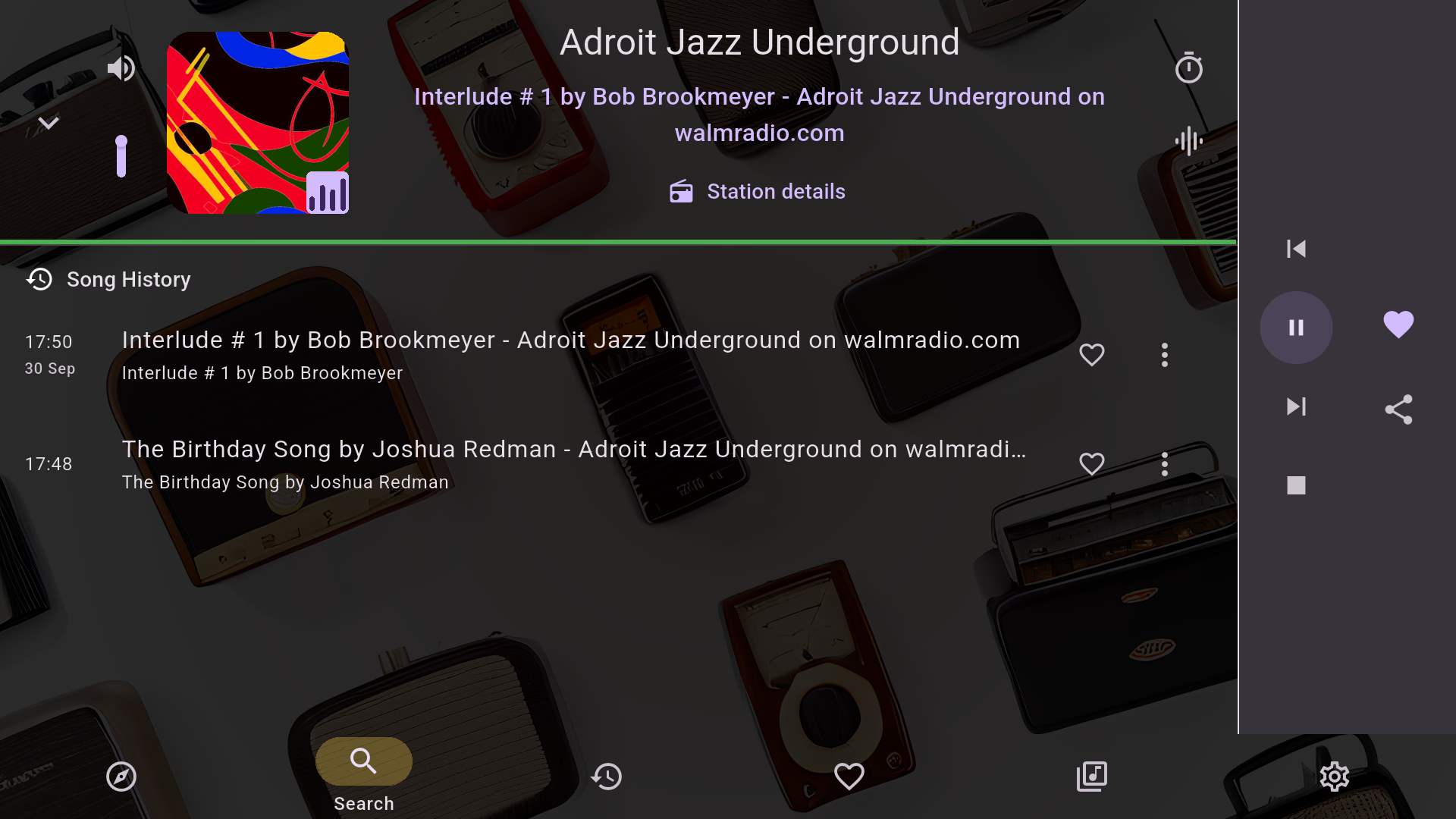
v1.0.0 is the release where Radiophonia leaves the kitchen counter. It now plays in the living room (on the TV), in the car (on the head unit) and everywhere you have a desk — and it brings a pile of fixes that make previously silent stations finally play on iPhone and Mac.
Radio in the Living Room: Google TV and Android TV
Radiophonia is now a real TV app, not a shrunken phone layout. It appears on the Google TV and Android TV home screen, starts instantly from the launcher, and is driven entirely by your remote: every row, card and button has a visible focus highlight, and the controller menu button switches between panes.
The big-screen screens were rebuilt around that distance: Discover, Favourites and Now Playing — with the song history rail still running beside the player, so the TV knows what just played, too. Achievements celebrate on the big screen as well.
Install it from the Google Play Store on your TV, or sideload the APK if you keep your TV quiet about it.
Radio in the Car: CarPlay, and More from Android Auto
On iPhone, Radiophonia now works as a CarPlay audio app: it appears in the CarPlay audio slot, with play, pause, next and previous on the head unit, and station artwork on the now-playing screen (previously it could show the previous station’s track after a switch — that is fixed, and buffering no longer replaces your station logo with a status gauge).
Android Auto got the same care: the full browse tree (Favourites, curated picks, Trending) with skip buttons that cycle through your list, and now-playing artwork that always shows the station logo or album cover.
Stations That Were Silent on iPhone and Mac Now Play
This is the unglamorous headline. A surprising number of long-running dead spots on Apple platforms are now dead no more:
- OGG Vorbis and Opus streams play on iPhone and Mac (previously silent on both).
- WMA, MP2 and HE-AAC streams route through a new transcoding helper on Mac instead of refusing to decode.
- BBC live (HLS) stations play on iPhone — with clean starts instead of thirty seconds of audio that ended hours ago.
- Stations with broken or SVG logos now fall back gracefully to a clean letter tile, instead of either crashing the artwork loader or showing nothing.
Pausing Now Saves Data and Battery
When you pause a station, the app keeps fetching only until roughly three minutes of audio are buffered — enough that resuming within that window picks up exactly where you left off. After that it stops fetching entirely, so a paused station in your pocket costs nothing. Resume later and it makes one clean jump to live instead of replaying stale audio.
Desktop: Choose Your Audio Output
Windows and Linux gain an Audio section in Settings: pick which speakers, headphones or USB DAC the radio plays through — by name, not by driver identifier — and play a test tone through the candidate device before committing. The switch applies mid-stream, and if your chosen device disappears (unplug the DAC, close the lid), playback falls back to the system default instead of dying.
Small Things That Add Up
- Next/Previous wrap around at the ends of your favourites or a station list — no more dead skip button on the last entry.
- A launch splash screen on every platform (it can be switched off in Settings → Appearance if you’re one of those people).
- Per-device settings stay on the device they belong to. Your output-device choice and recording folder no longer sync over and break another machine — sync is now an explicit allowlist.
- iPhone keeps its memory. A startup bug could wipe your local song history, listening stats and badges; it is fixed and regression-tested, so your archives stay yours.
- Unlock and resume works. A phone that has slept for hours used to fail to resume the station that was playing before the sleep — fixed on every platform.
Get It
v1.0.0 is available for Android (phones, tablets, and Android TV / Google TV), iPhone and iPad, Mac, Windows and Linux — with CarPlay, Android Auto and the song history timeline on the platforms that have them. Premium — a one-time purchase, no subscription — unlocks unlimited song history, the radio alarm clock, local media, CSV export and recording in direct downloads.
Download Radiophonia and point it at the television.